CSS Selectors 101: Targeting Elements with Precision
What are CSS Selectors and why these are needed
CSS Selectors are used to find or select the HTML elements you want to style
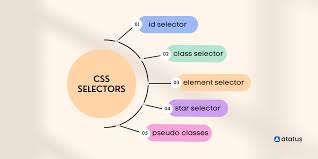
There are several types of CSS Selectors, they are
Simple Selectors (select elements based on name, id, class)
Combinator selectors (select elements based on a specific relationship between them)
Pseudo-class selectors (select elements based on certain state)
Pseudo-element selectors (select elements and style a part of element)
Attribute selectors (select elements based on attribute or attribute value)
In this article will be focusing on simple selectors which will be targeting elements using element name, id and class name.
Element Selector
The element selector selects HTML based on the element name
Here all <p> elements on the page will change colour to red
<p>Hello, </p>
<p>Welcome to CSS Class</p>
p {
    color: red;
}

Class Selector
Think of a school uniform many students, (HTML elements) wear the same uniform, so you can style them all at once (class=“student”)
The class selector selects HTML elements with specific class attribute
To select elements with specific class, write a class name prefixed with dot
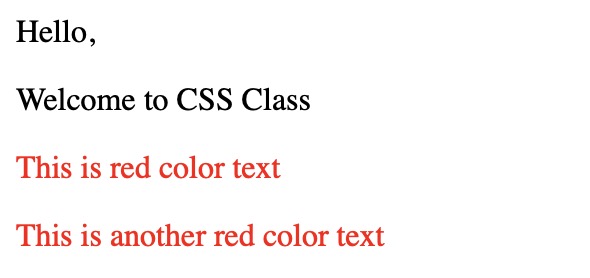
(.),In this example, all HTML elements with class red will be in red color.
<p>Hello, </p>
<p>Welcome to CSS Class</p>
<p class="red">This is red color text</p>
<p class="red">This is another red color text</p>
.red {
    color: red;
}
Id Selector
Think of a passport number or social security number, it belongs to only one person (one HTML element) in the entire system. Ensuring it is unique
The id selector uses the id attribute of an HTML element to select a specific element
The id of an element is unique with in page, so the id selector is used to select one unique element
To select an element with a specific id, prefix
#to theidname
<p>Hello, </p>
<p>Welcome to CSS Class</p>
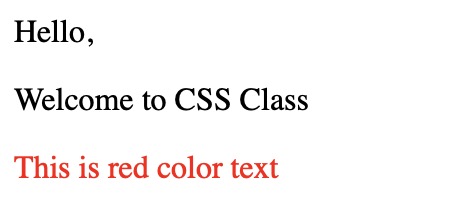
<p id="red">This is red color text</p>
#red {
    color: red;
}
Group Selectors
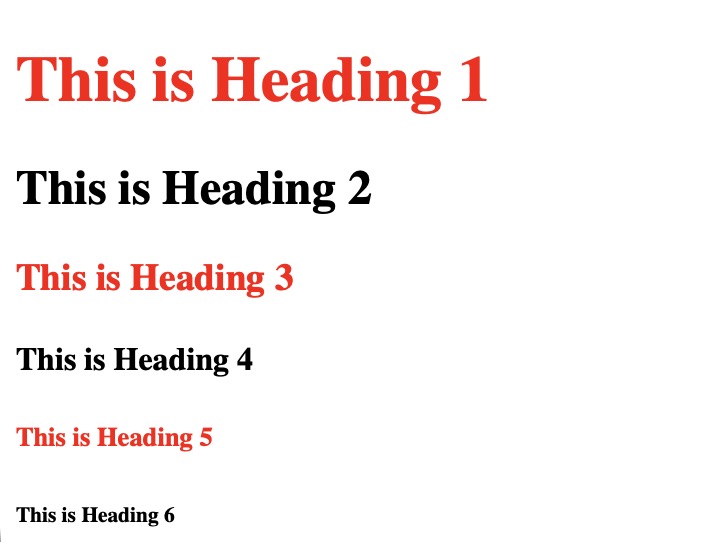
A group selector selects all the elements specifies in the comma-separated list
This is useful for applying the same styles to multiple, potentially unrelated, elements thus, reducing the amount of repeated CSS code.
<h1>This is Heading 1</h1>
<h2>This is Heading 2</h2>
<h3>This is Heading 3</h3>
<h4>This is Heading 4</h4>
<h5>This is Heading 5</h5>
<h6>This is Heading 6</h6>
h1, h3, h5 {
    color: red;
}
Descendent Selectors
These selected an element that is a descendent of another specified element. It is denoted by a space between the selectors. The first selector represents the ancestor and the subsequent selector represent the descendent.
The descendent element can be direct child, a grand child, or any further level of nesting within the ancestor
<p>This is paragraph 1</p>
<div>
    <p> This is paragraph 2 present inside div</p>
</div>
div p {
    color: red;
}

Selector Priority
In CSS, the priority of selectors is determined by a set of rules known as specificity and the cascade. At a very high level, rules with higher speciality or that appears later in the code take precedence.
Here is the general priority order for basic selectors, from highest priority to lowest
Inline Styles: Styles applied directly to an HTML element using the style attribute
(<p style="color:red;”>This is paragraph</p>) have the highest priority and override all other methodsId Selectors: selects that target a unique element using its id attribute (
#my-element) have the next highest priorityClasses: selects that use a class name (
.myclass) has a medium level of specificityElement: selectors that target elements by their HTML tag name has the lowest level of specificity
!important→ this can be added to specific CSS declaration to give it an even higher priority than normal specificity rules. However, its use is generally discouraged as it can make CSS difficult to debug and maintain.