How DNS Resolution Works
What is DNS and why name resolution exists
DNS
DNS Means Domain Name System
It is like an internet phone book, used to translate human friendly domain names to machine readable ip address like
192.168.32.72It is a distributed network of servers (root, TLD and authoritative) that work together to find the correct IP address of a domain
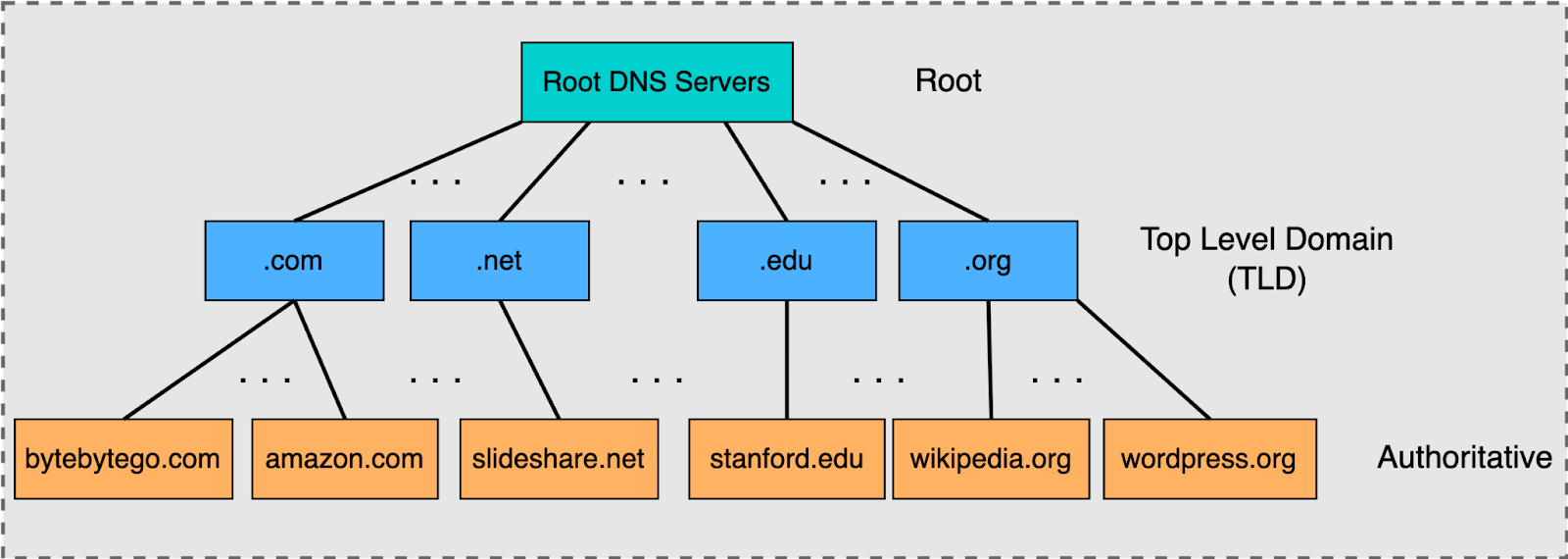
Root vs TLD vs Authoritative servers
Root Server: This is the highest level in the DNS hierarchy represented by the dot (.), which knows where to find the servers for all TLDs (like .com, .org)
Authoritative Server: Holds the actual DNS records (like IP address) for a specific domain and provides the definitive answer(IP address) to a query
TLD Server: Manages specific domain extensions like (.com, .net, .uk) and directs queries to the correct authoritative servers for domains with in that extension
Why Name resolution exists
Usability: Humans remember names, not numbers, DNS allows you to use
www.amazon.cominstead of string of numbersScalability: As the internet grew, a manual system of the text become unmanageable, DNS provides a standardised, distributed solution for a massive network
Efficiency: it uses caching to store frequently used address locally, to reduce network load for future requests
Foundation of Internet: without it, accessing websites, emails and online services would be incredibly difficult as you need to know the IP address of every server.
What is the dig command and when it is used
dig(Domain Information Groper)It retrieves information about the DNS Servers.
Mostly network administrators use it to verify and troubleshoot DNS problems and perform DNS lookups.
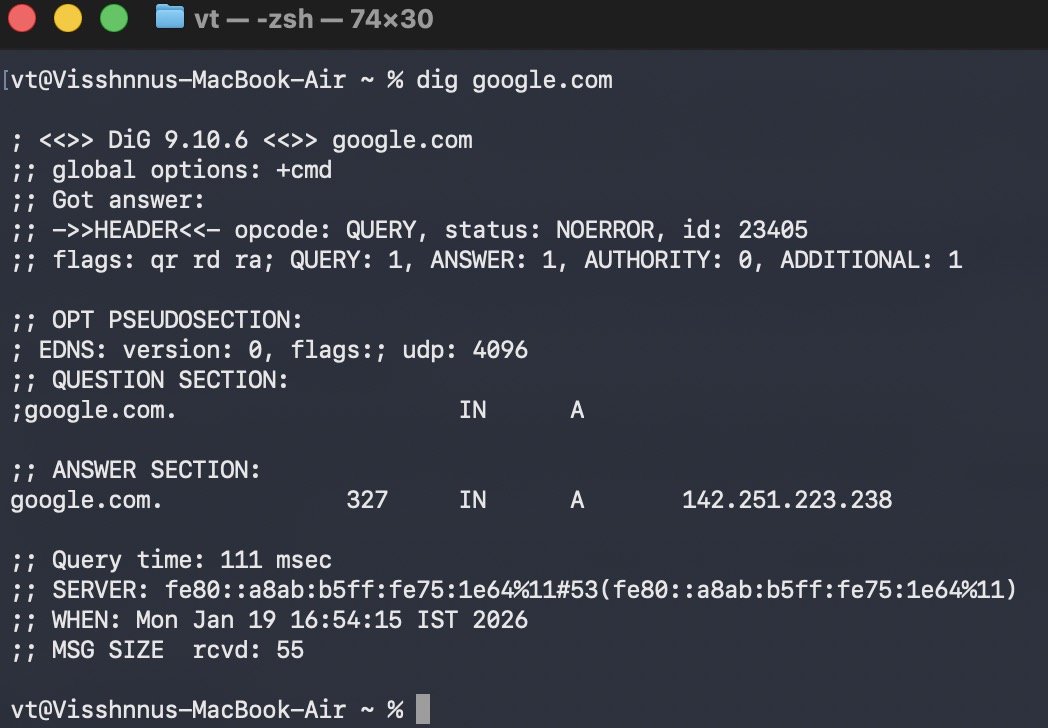
dig google.com
Performs a standard lookup for google.com
dig google.com +short
Provides a concise answer, showing the IP address

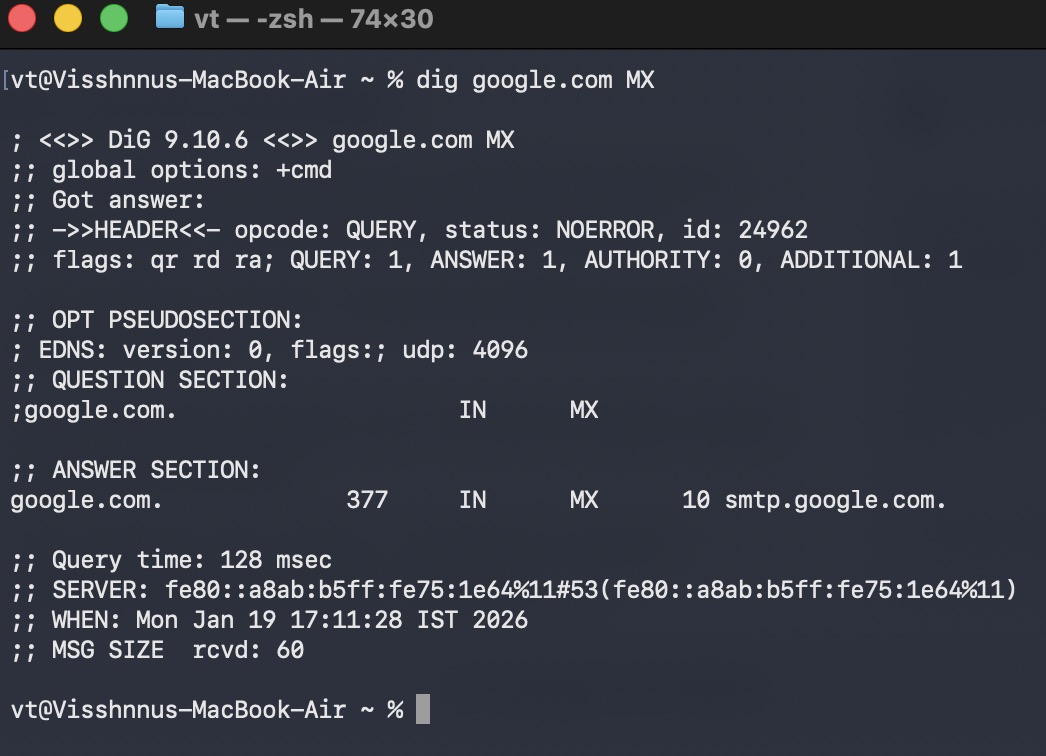
dig google.com MX
Queries for mail exchange (MX) records
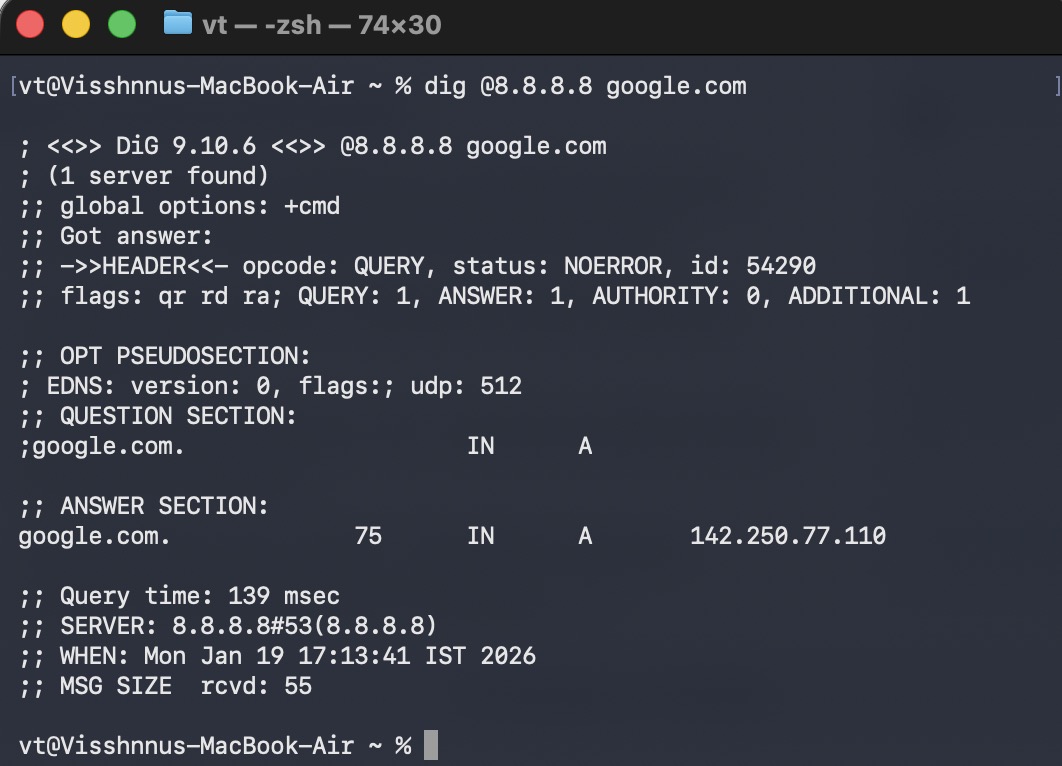
dig @8.8.8.8 google.com
Queries google’s public DNS server directly
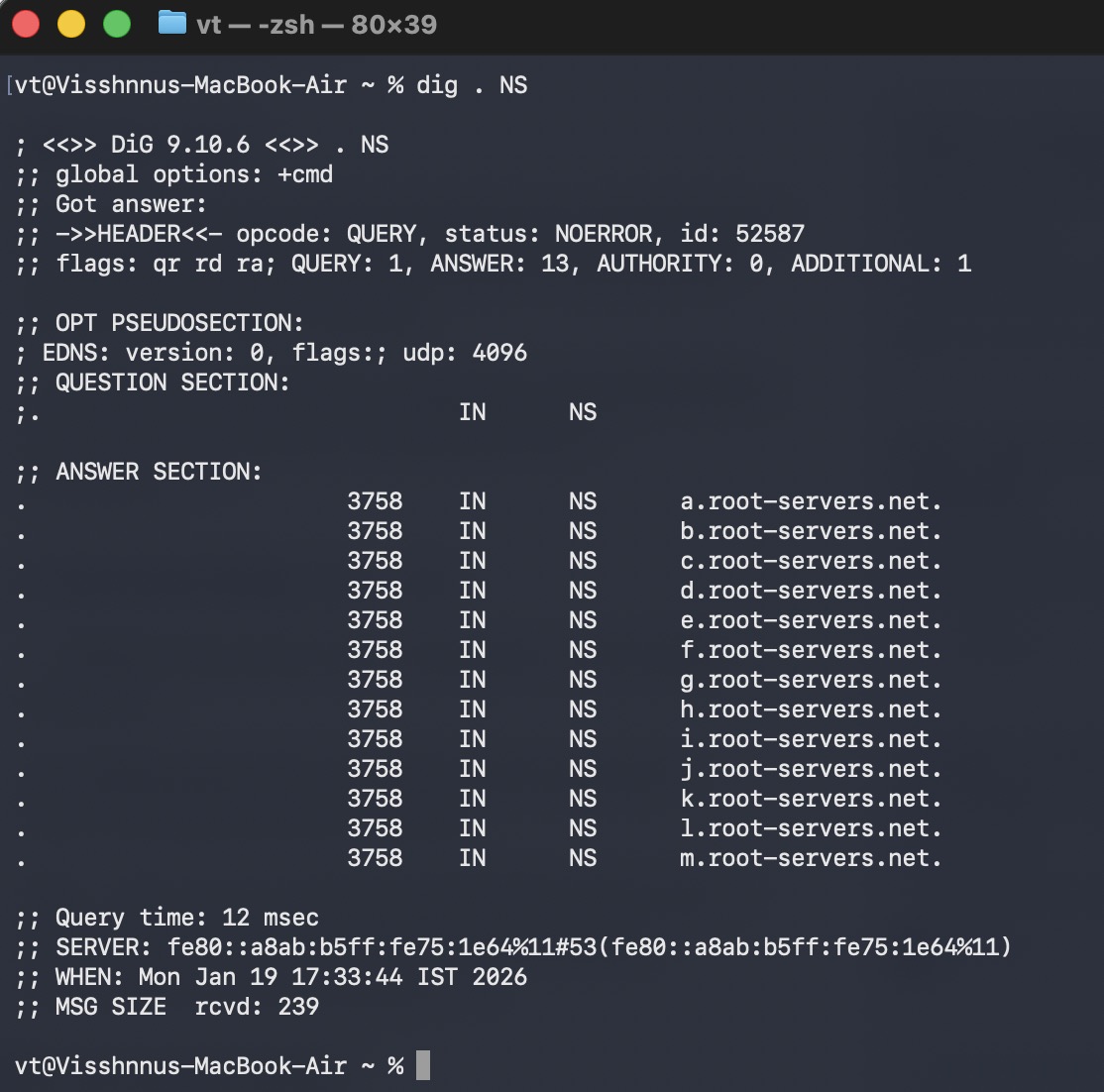
Understanding dig . NS and root name servers
Root Name Servers
These are authoritative DNS Servers that serve at the top level of DNS hierarchy
They do not know the IP address of
www.google.combut they know which top level domain (TLD) servers handle specific extensions like.com,.org,.inThere are only 13 root name servers all over the world.
While there are 13 IP addresses, there are hundreds of physical servers worldwide using Anycast routing to ensure fast, reliable responses.
NS
NS means Name Server, a fundamental type of DNS record that identifies which DNS servers are authoritative for a domain
It specifies which server is in-charge of managing the DNS zone file for a domain
It enables the delegation of a domain to specific DNS provider like cloud-flare, AWS, GoDaddy
Why NS Records Matter?
NS Records are essential for the proper functioning of the internet, without them users can not access websites and emails
Website Accessibility: NS records tell browsers where to find the IP address
Redundancy and Reliability: it’s a best practice to have multiple NS records (primary, secondary). If one NS fails, the other can takeover and resulting no down time
dig .NS
dig: Domain information groperdot(.): Represents the root zone of the DNS hierarchyNS: to list the authoritative name servers which are responsible for root zone.You will see the list of 13 root server names
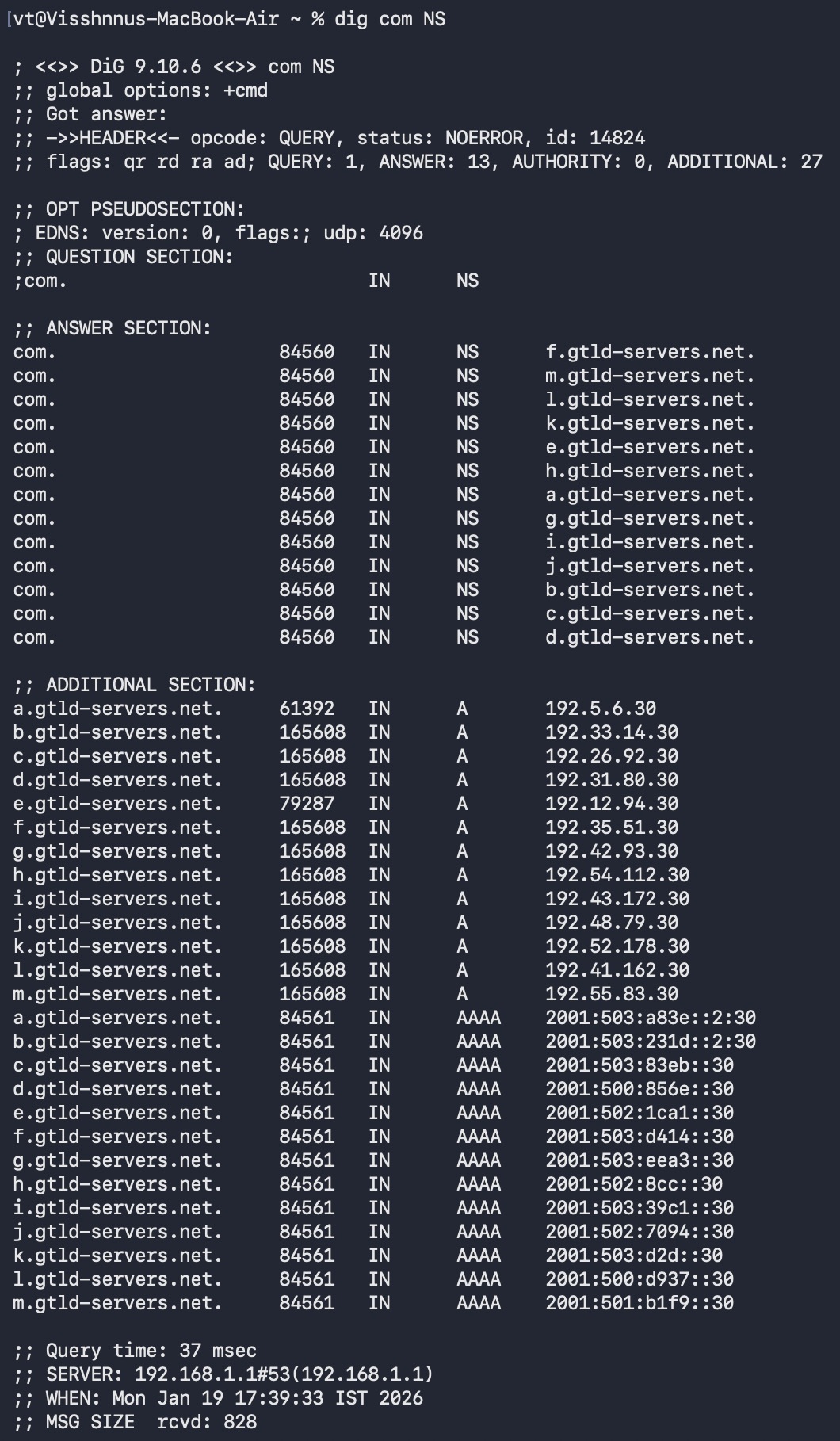
Understanding dig com NS and TLD name servers
This is used to query the authoritative name servers responsible for the top-level domains (TLD’s)
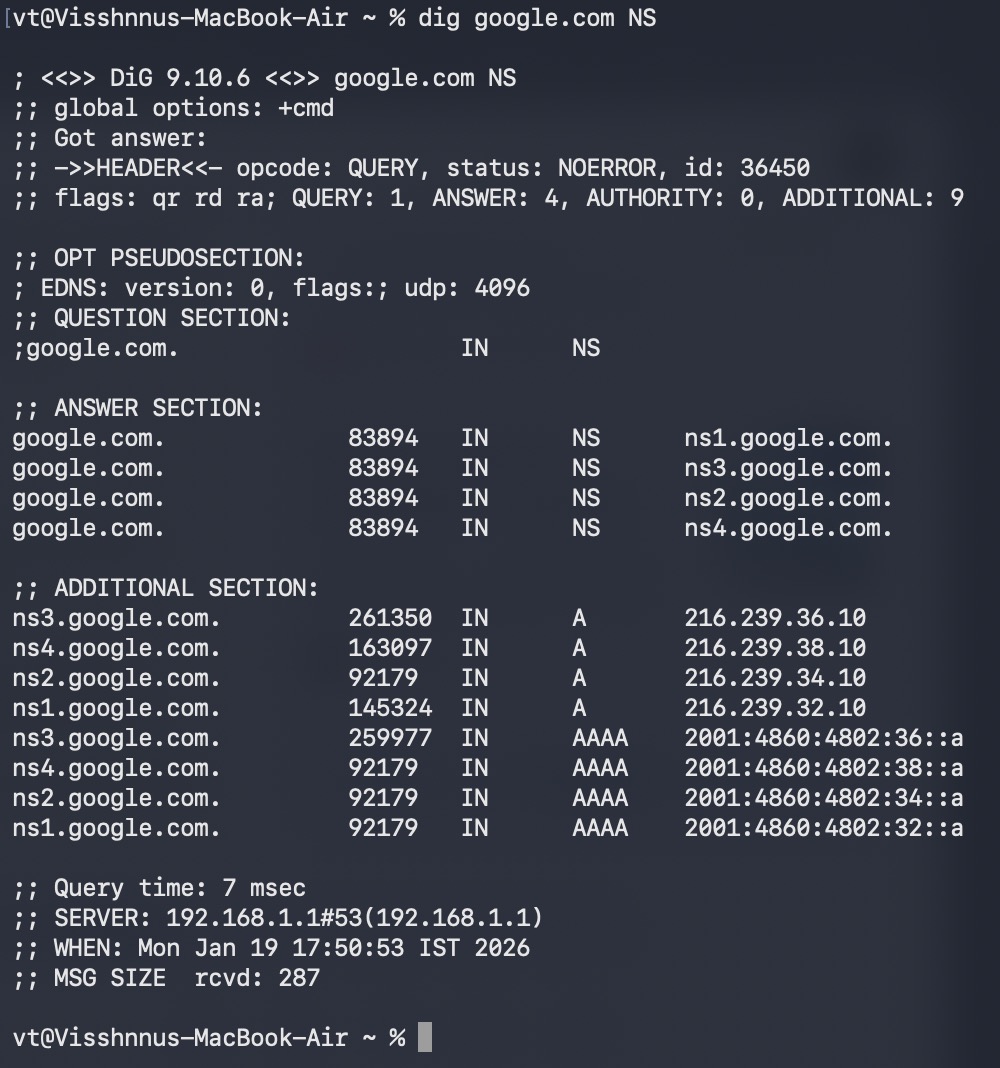
Understanding dig google.com NS
This looks up the name servers for a specific domain google.com
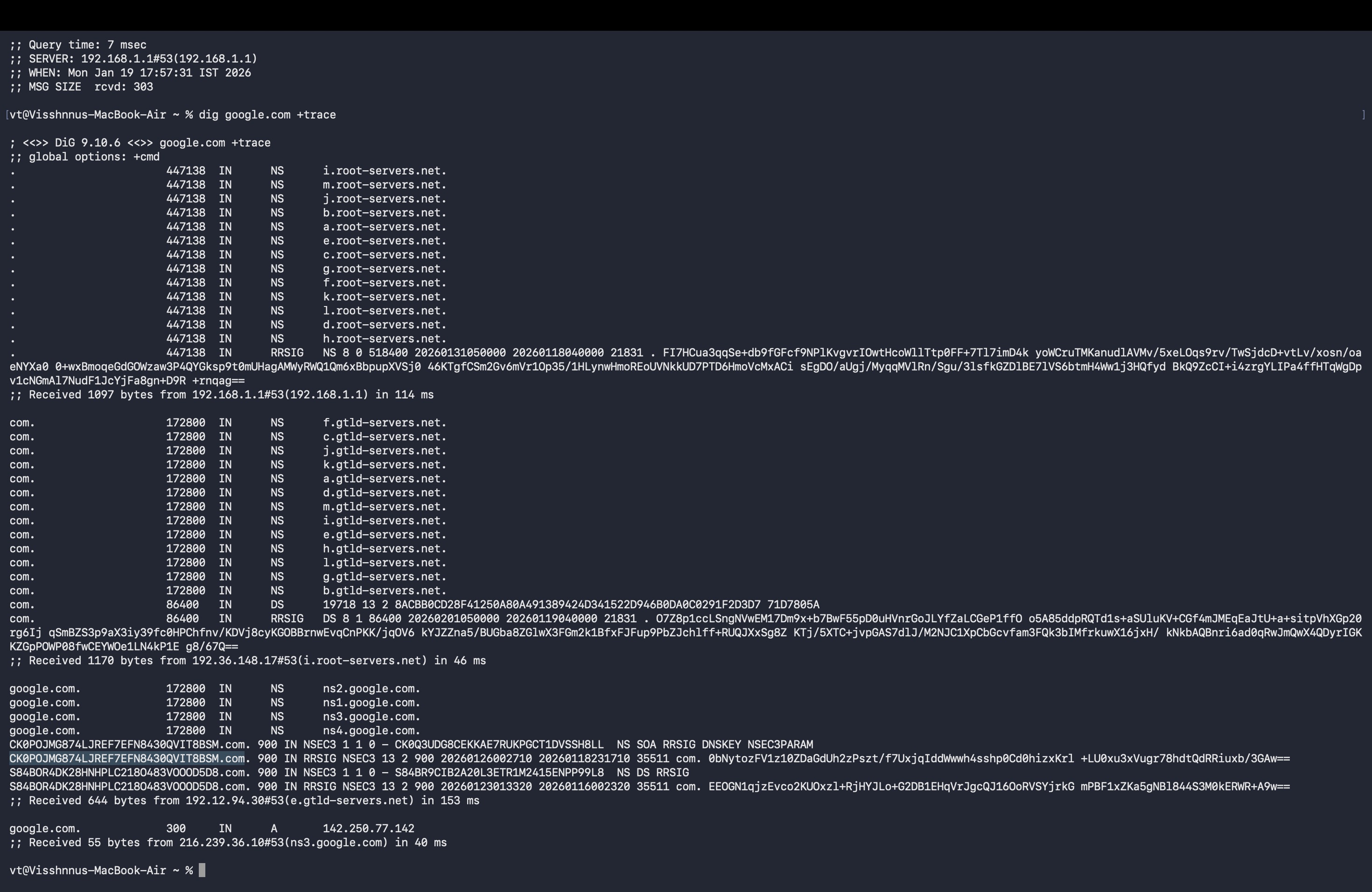
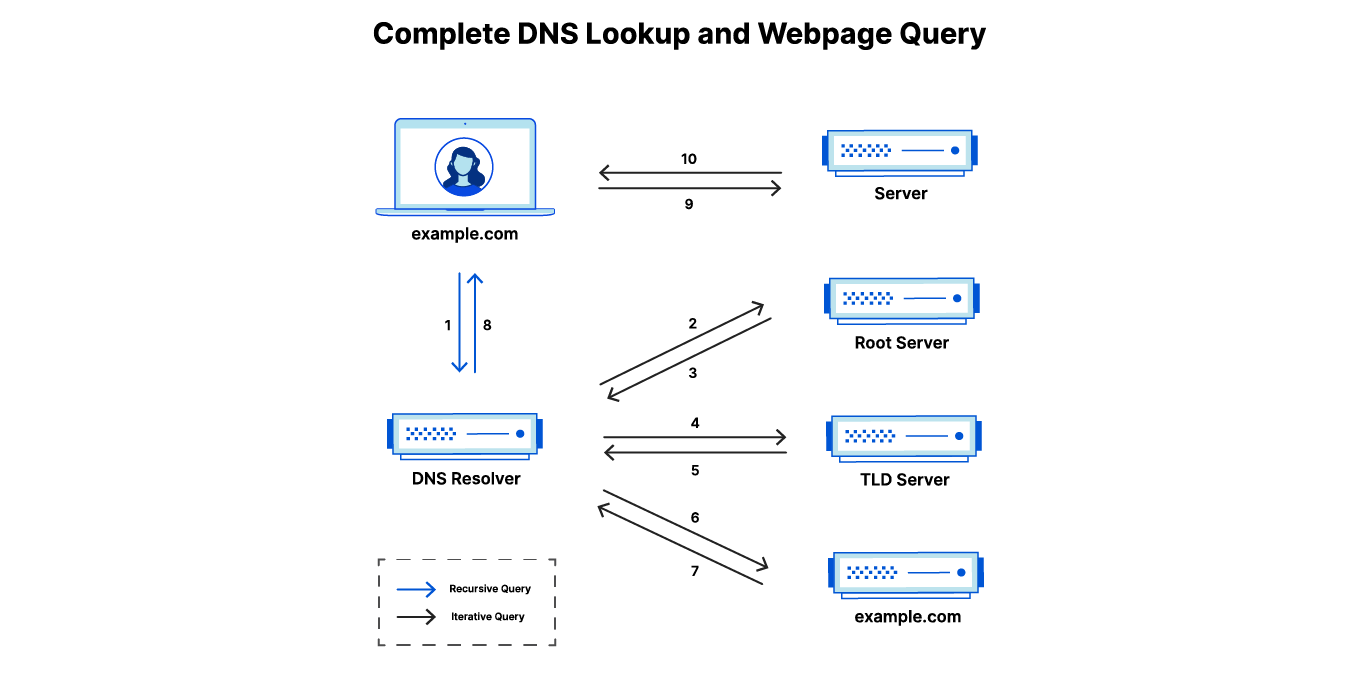
Understanding dig google.com and the full DNS resolution flow
If you request
google.comin browser, then it will check in cache, if not found then it will ask for other root name serversThen Root name servers will says, I do not know
google.combut you can ask for.comTLDsThen request goes to TLD servers where you will get the response with the addresses of authoritative name servers (eg:
ns1.google.com,ns2.google.com)Then the query goes to authoritative name servers, this server holds the actual DNS records for
google.com(A record)Then Recursive resolver receives the IP, caches it and return the data
Then your device receives the IP and your browser connects to that IP.